Get Array Item
Reference documentation for using the Get Array Item expression
Written By Ben Lehmann
Last updated Over 1 year ago
Description
The Get Array Item expression is used to retrieve a specific item from an array based on its index (position in array). This action allows you to access individual elements within an array and use them for further processing in your workflow, such as updating records or passing values to other actions.
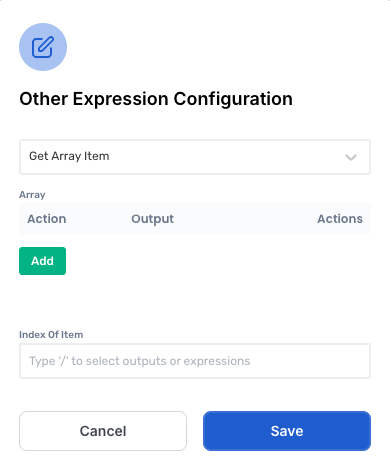
Working with the Get Array Item expression
Configure the expression
Use the following steps to configure the expression.
Click Add to add a new item to the array. The opens the Configure Array Item popup.
Enter a value to store in the array. This can be a simple value such as a Number or Text string, or it can be the return value of an expression, or another array.
Enter a value or expression to provide the index of the item you want to access.
Click OK to complete setup of your new array value.
Comments
Array indexes begin at
0, meaning the first item is located at index0, the second item at index1, and so on.When providing an array index that is out of bounds of a valid array. The expression will return an empty response.
If the array provided is empty or null this expression will return in error.
Was this helpful?
Still need help? Share an idea